
Project № 18
My Cases
The case-management surface for defence solicitors and court services users on the Common Platform.
This case study is gated. Enter the access key to view Ministry of Justice in full. Access persists for the rest of this session.
The case-management surface for defence solicitors and court services users on the Common Platform.
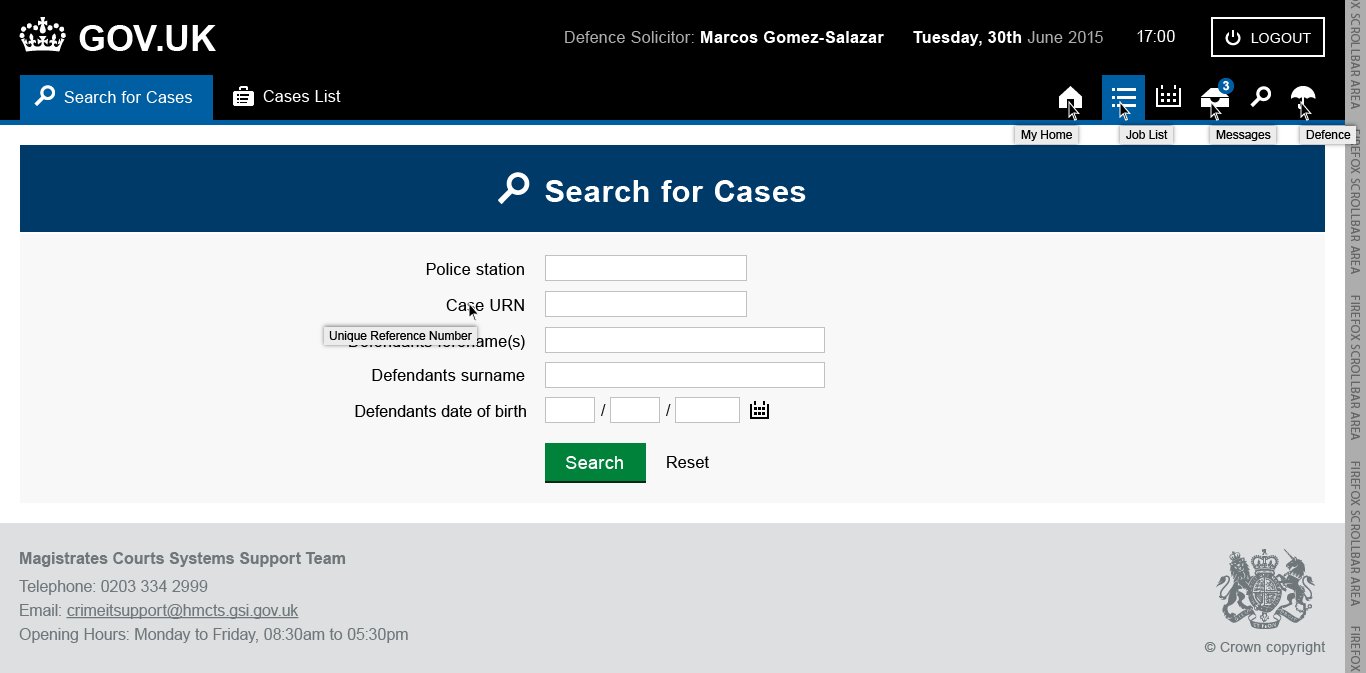
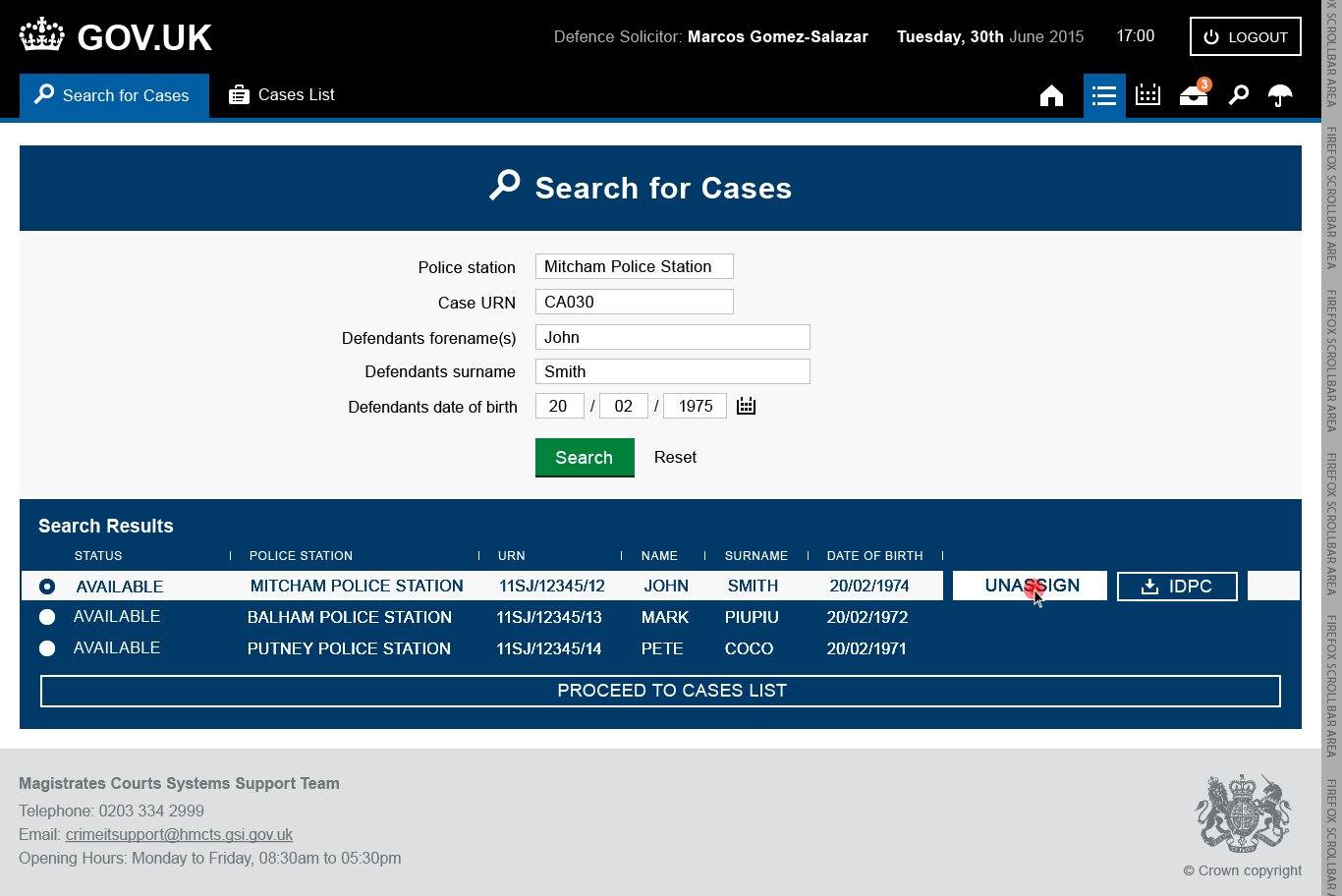
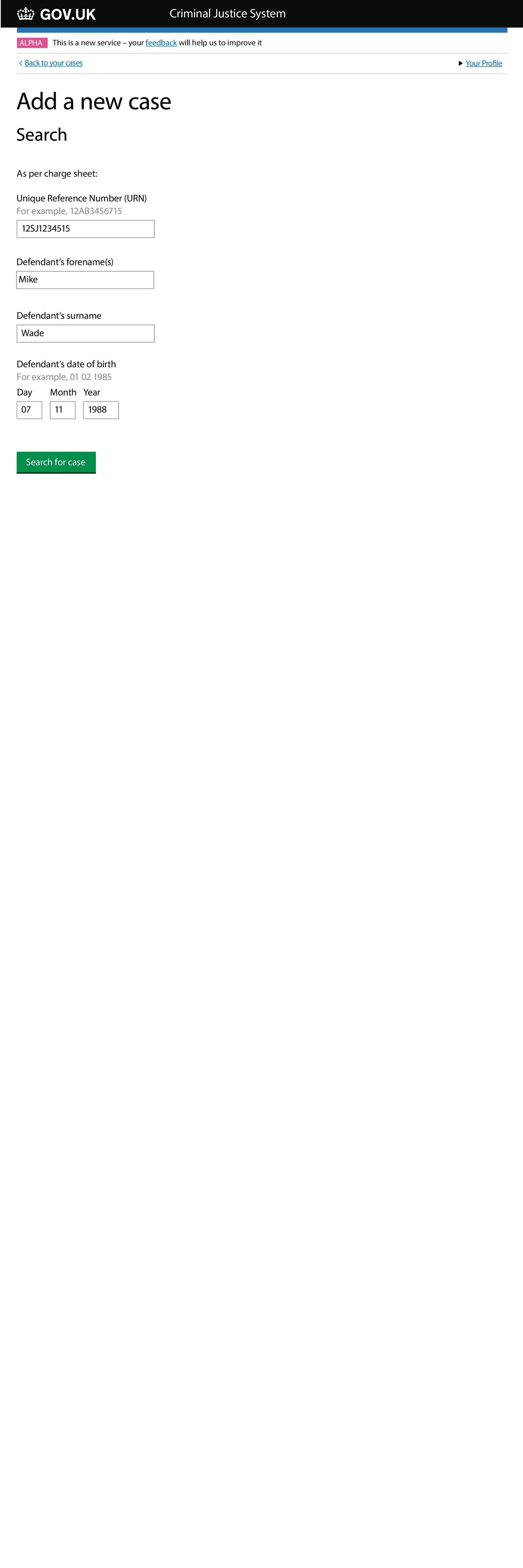
The My Cases surface covered two linked CPP products: the Defence Solicitor My Cases dashboard, and the Criminal Justice Services Your Cases — Add a New Case workflow. Both were designed to give their respective users — defence solicitors and court services colleagues — a single place to assign, unassign, schedule and track criminal cases against defendants.
Both products were delivered against the GOV.UK Design System, in the same CPP context described on the SJP page.
A defence solicitor with 40 active cases needs to see what's urgent at a glance, filter by court, jump straight into a document, and share access with their colleagues. A court services user adding a new case needs to do it in as few fields as humanly possible because they are almost always working under pressure.
The GDS design system was not built for dense case-management dashboards — it was built for citizen-facing transactions. The design work was finding the honest compromise between GDS discipline and case-management density without letting either one win completely.
The secondary constraint was integration. Contact details, court calendars, defendant information — the tools needed to centralise what used to be fragmented, so a user never had to leave the surface to get their next answer.
Designed the case assignment and tracking flow — assign / unassign colleagues, monitor schedules, manage defendant information, all inside a GDS-compliant layout.
Short, tight "add a new case" flow for Criminal Justice Services colleagues. Minimal fields, structured validation, clear confirmation.
Integrated court contact details and centralised communication — so solicitors didn't have to switch tabs to look up a court clerk.
Every flow passed against GDS accessibility standards — screen-reader compatibility, colour contrast, keyboard-only navigation, error recovery. This is a non-negotiable in a UK government service.
GDS discipline and case-management density don't naturally agree. The job is to find the honest compromise. — MoJ My Cases design principle
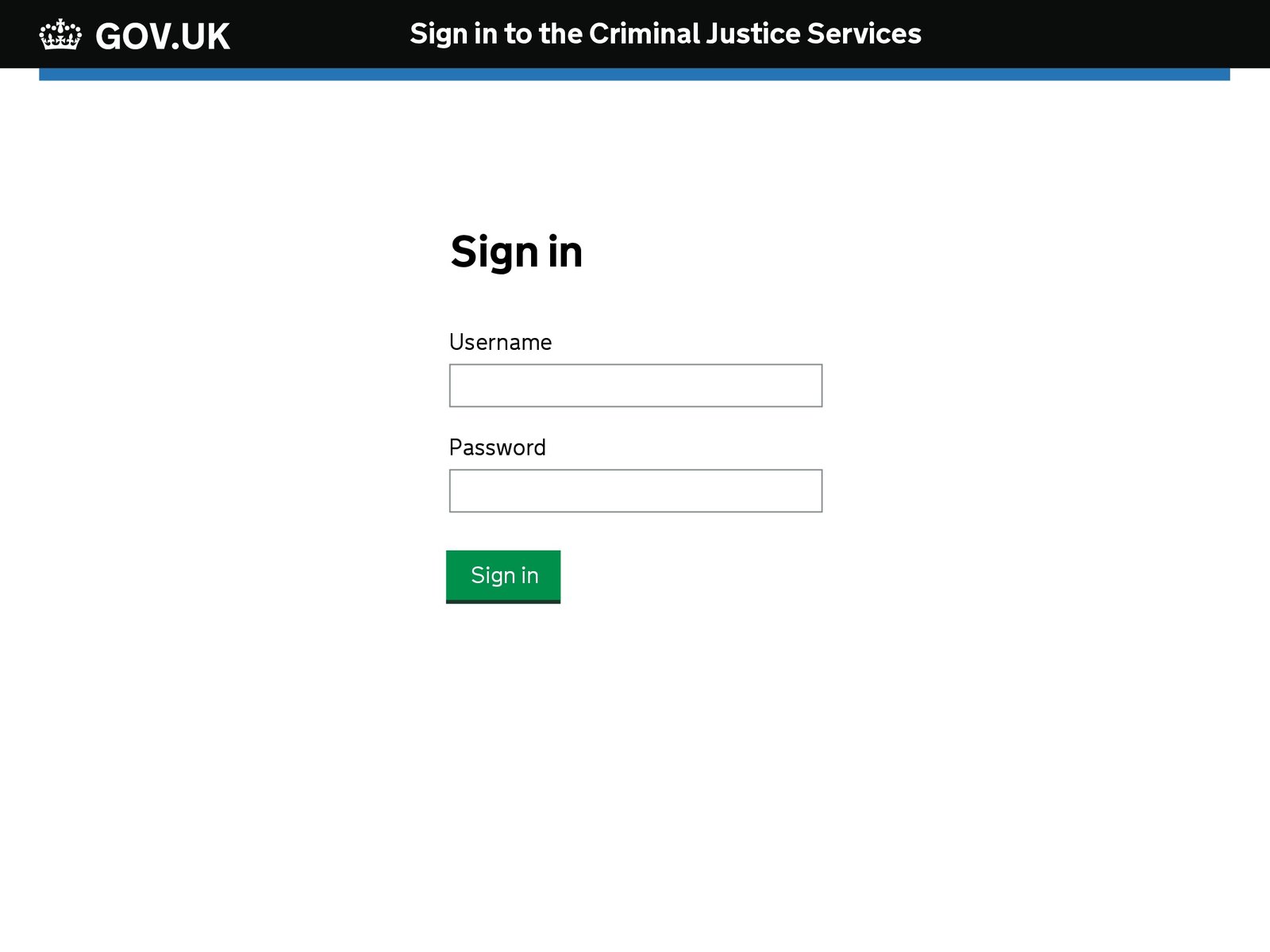
Representative screens from the Defence Solicitor My Cases dashboard and the Your Cases — Add a New Case flow.

GDS service standards are one of the most valuable things the UK public sector has ever produced. The temptation when designing for busy specialists is to quietly drift from them in the name of density. The discipline was to hold the line and find the right compromise by iterating the layout until both sides fit.